Get your API key
Every request to the API carries a key. Start with a test key: it sends nothing to anyone and costs nothing, and everything in these docs works with it.
The quickest way: Use my test key
Signed in to the portal already? Open API key at the top of any page here and choose Use my test key. Agree in the window that opens, and the docs get a 12-hour test key, private to you, for every page.
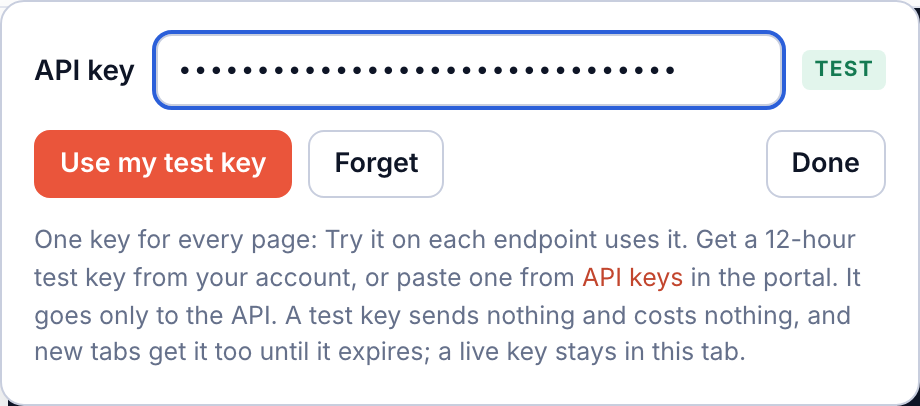
For your own code, make a key in the portal as below.
1. Sign in, or create an account
Create a free account, or sign in. You sign in with your eID; a company account is set up in the same steps.
2. Open API keys
In the portal's menu, under Developers, choose API keys. The Test data switch at the top decides which kind of key you make: in test mode, keys start with ps_.
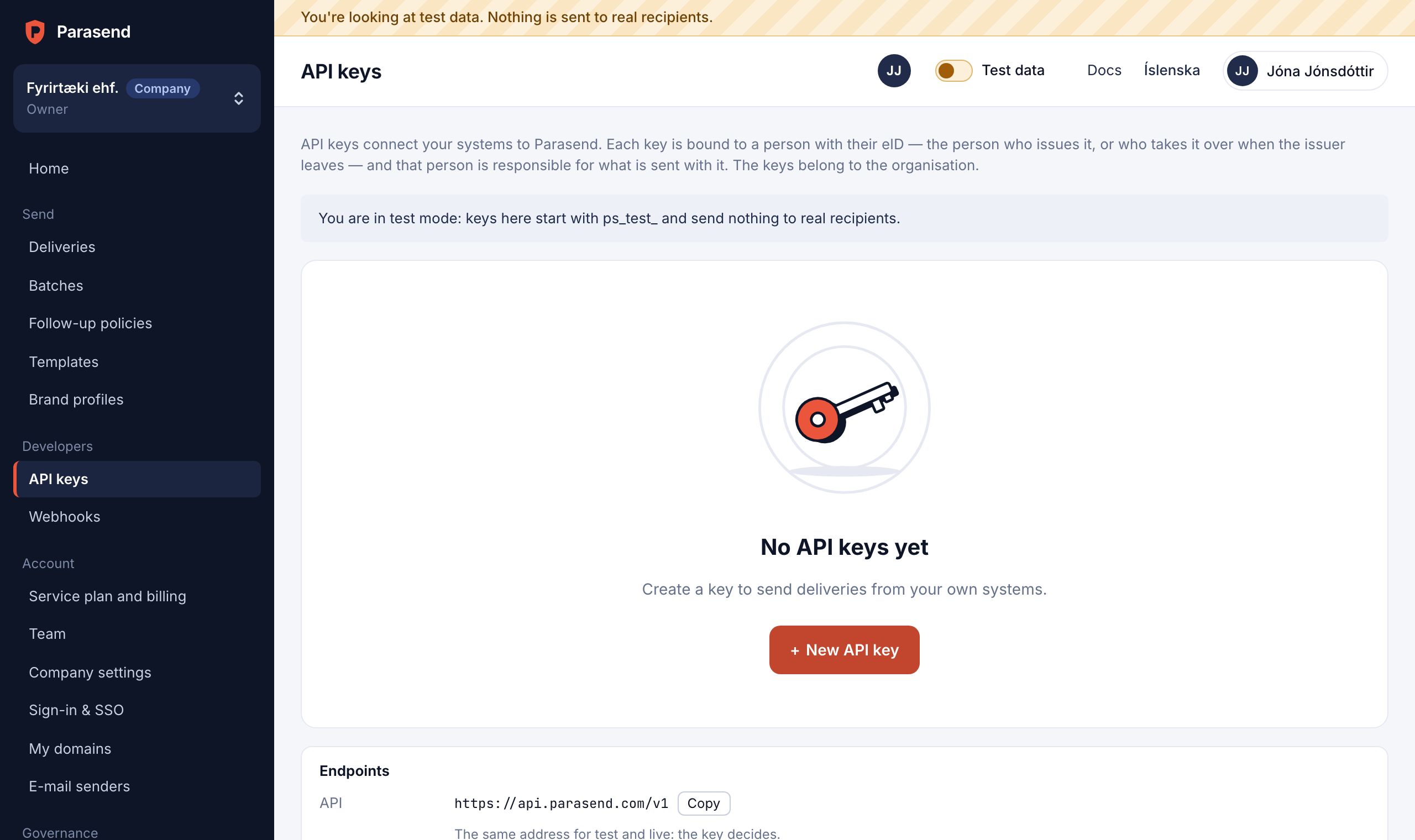
3. Create the key
Choose New API key, give it a name you will recognise (the system that uses it, say), and pick what it may do. Sending suits most integrations: deliveries, batches, files, events and evidence. Under Restrictions you can limit a key to your servers' IP addresses, give it an expiry date or a monthly cap.
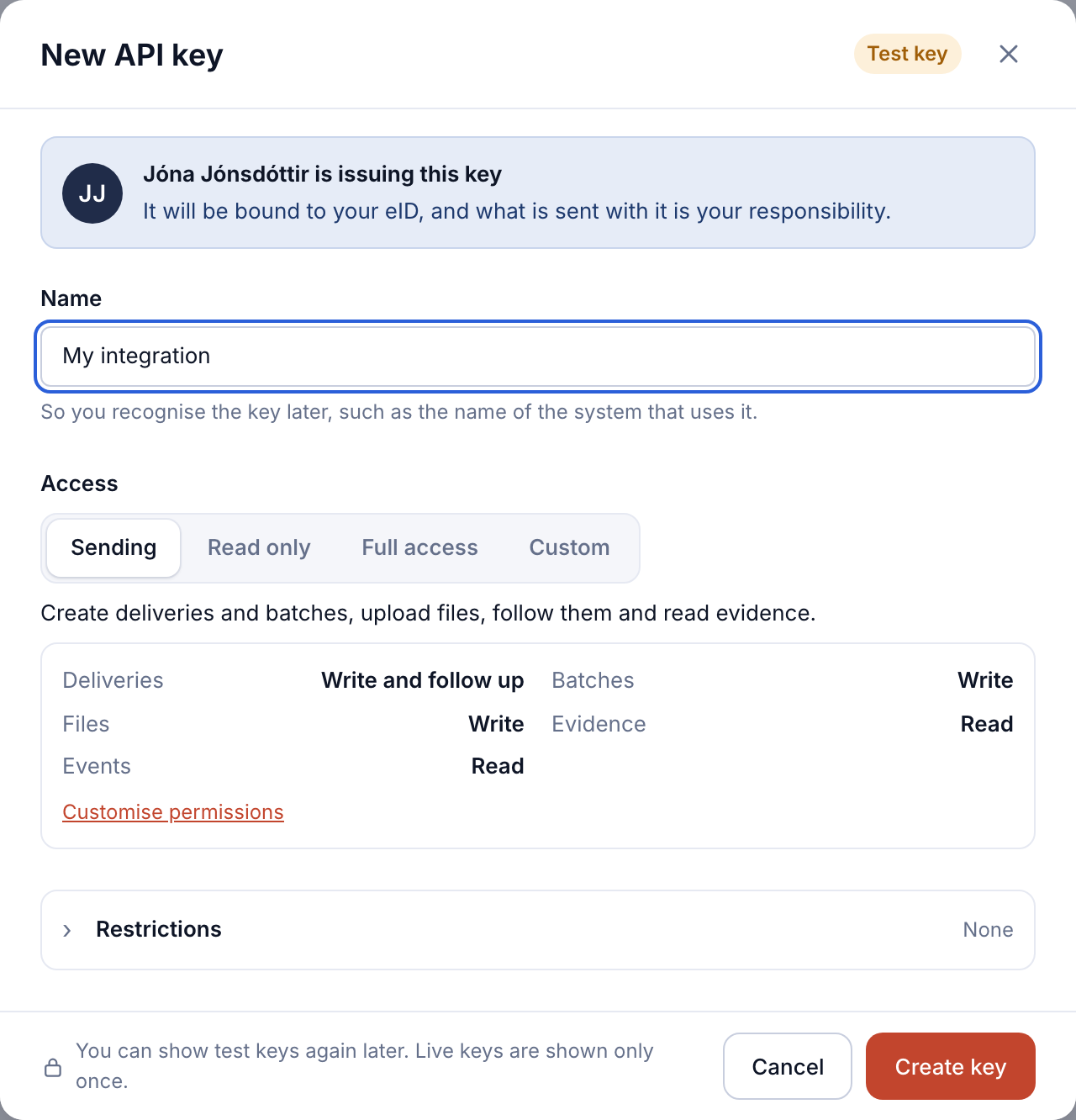
A key is bound to the person who issues it, by their eID, and that person is responsible for what is sent with it. If you signed in more than ten minutes ago, the portal asks you to confirm it is you first.
4. Copy it
The new key is shown straight away. Copy it and keep it somewhere safe, such as your system's secrets manager, never in your code. You can show a test key again later; a live key is shown only once.
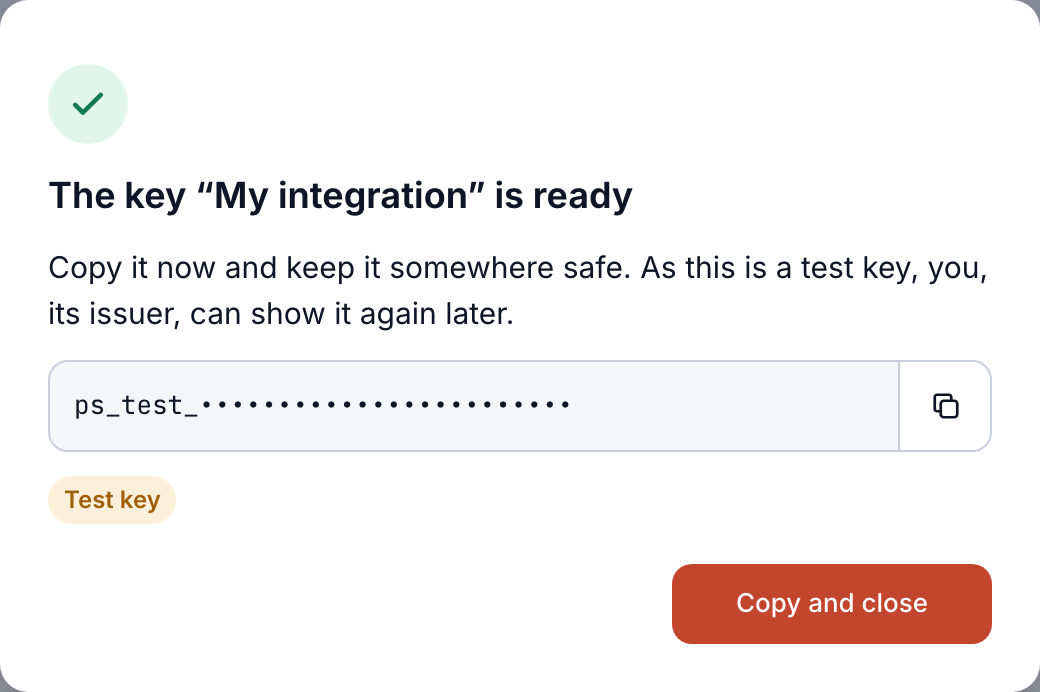
5. Use it
In your code, send it in the Authorization header, read from the environment:
export PARASEND_KEY=ps_test_...
curl "https://api.parasend.com/v1/deliveries" -H "Authorization: Bearer $PARASEND_KEY"
In these docs, paste it under API key at the top of the page: Try it on every endpoint uses it.

Live keys
When you are ready to send for real, switch the portal to live data and make a live key the same way. Live keys start with ps_, send real notices to real people and are billed. See Test and live mode and Authentication for what each permission allows.